Press kit
Everything you need to write about Dispatches: the facts, the screenshots, and a review account with everything unlocked. It is made by one person in London, so an email gets a real reply — usually the same day.
Description, ready to paste
Use any of these verbatim. No approval needed, no embargo.
Dispatches turns an iPhone into a full photo desk — import, cull, caption and file, straight from the field.
Dispatches is an iPhone app for photographers who file on deadline. It imports from a card or the camera roll, culls with ratings and colour labels, writes IPTC-standard captions, and sends to FTP, SFTP, email or a client folder — with no laptop involved.
Dispatches is an iPhone app for photojournalists and deadline-driven photographers, built by a working London documentary photographer who was tired of carrying a laptop to file. It handles the whole post-shoot chain on the phone: import from an SD card or the camera roll, group frames into events, cull with star ratings and colour labels, apply IPTC-standard metadata and captions, then deliver over FTP, SFTP, email or a client folder as a repeatable workflow. Captions can be drafted by AI from a short spoken or typed brief, and that feature is off until you turn it on.
Fast facts
- Name
- Dispatches
- What it is
- Photo import, culling, captioning and filing — for iPhone
- Platform
- iPhone, iOS 26 or later. No iPad or Mac version yet.
- Price
- One subscription, everything included — no tiers, no feature gating. 14-day free trial, then £2.99/month in the UK, €2.99/month in Europe, $5.99/month in the US. 50 AI Event Briefs a month are included; optional credit packs add more. Billing and cancellation are handled by Apple.
- Availability
- On the App Store now, released 28 July 2026. Link to dispatches.info/app — it opens each reader's own App Store storefront rather than the American one. App Store id 6776371694. Free to download; the subscription starts after a 14-day trial.
- Made by
- João Daniel Pereira — documentary and reportage photographer, London. Sole developer.
- Press contact
- hello@dispatches.info
What it actually does
- 1ImportFrom an SD card reader, the camera roll, or Files. RAW included — and the original is never altered.
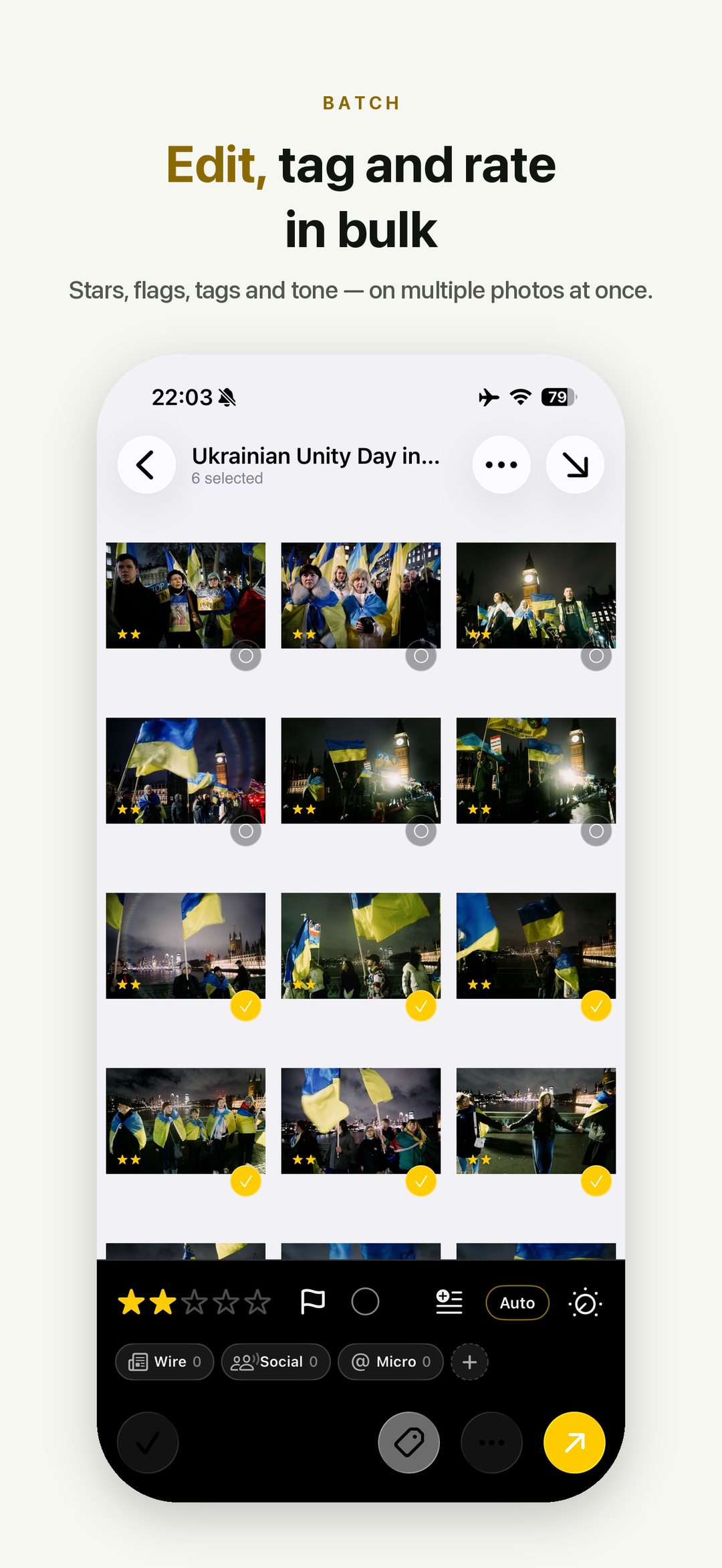
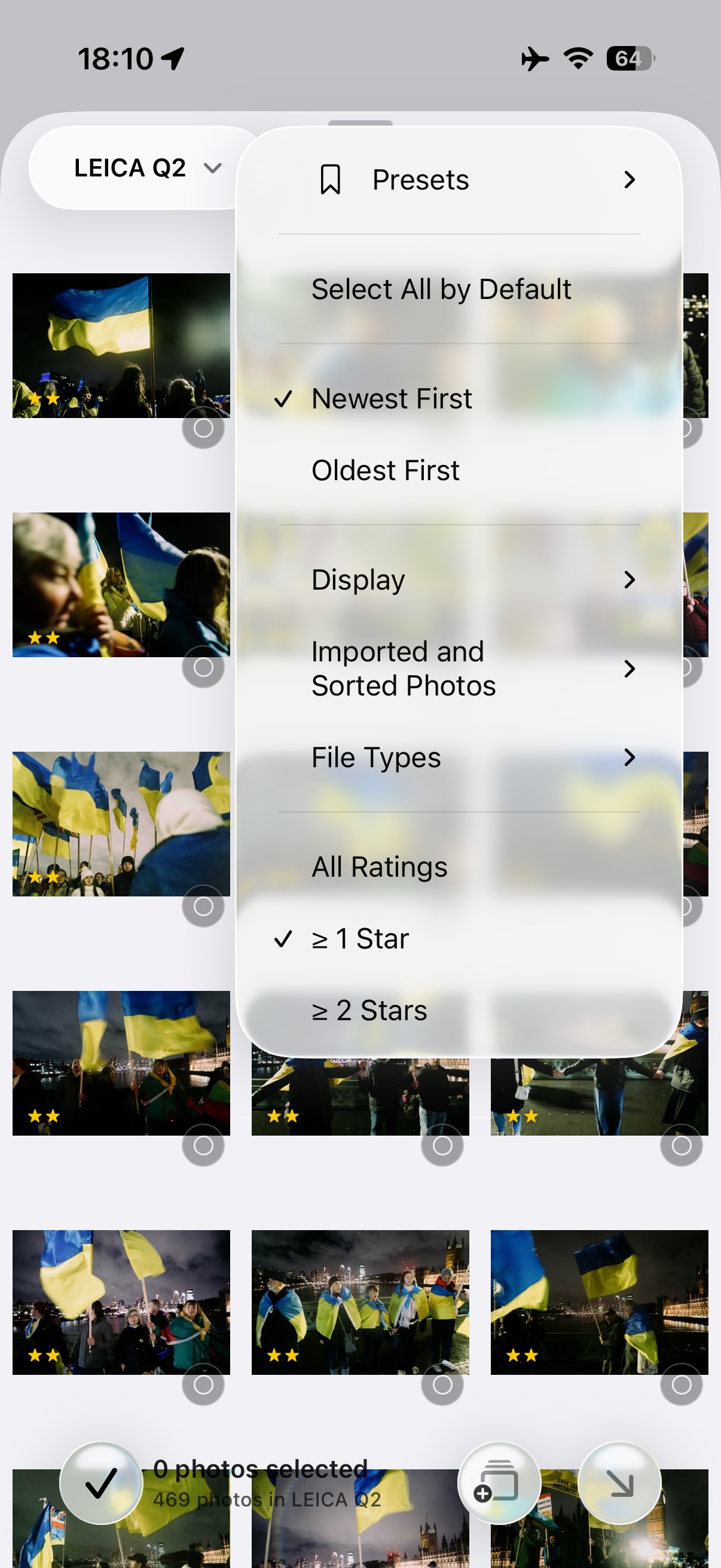
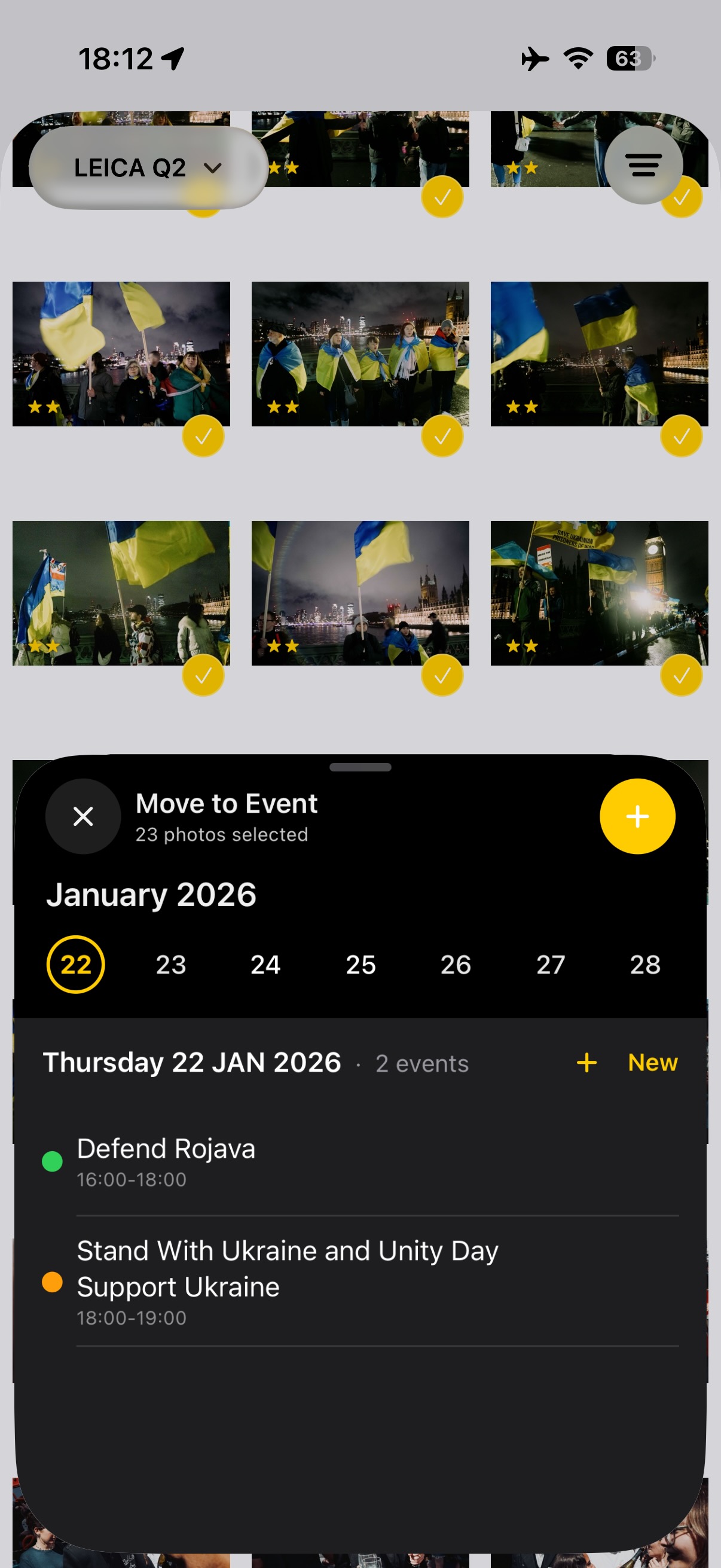
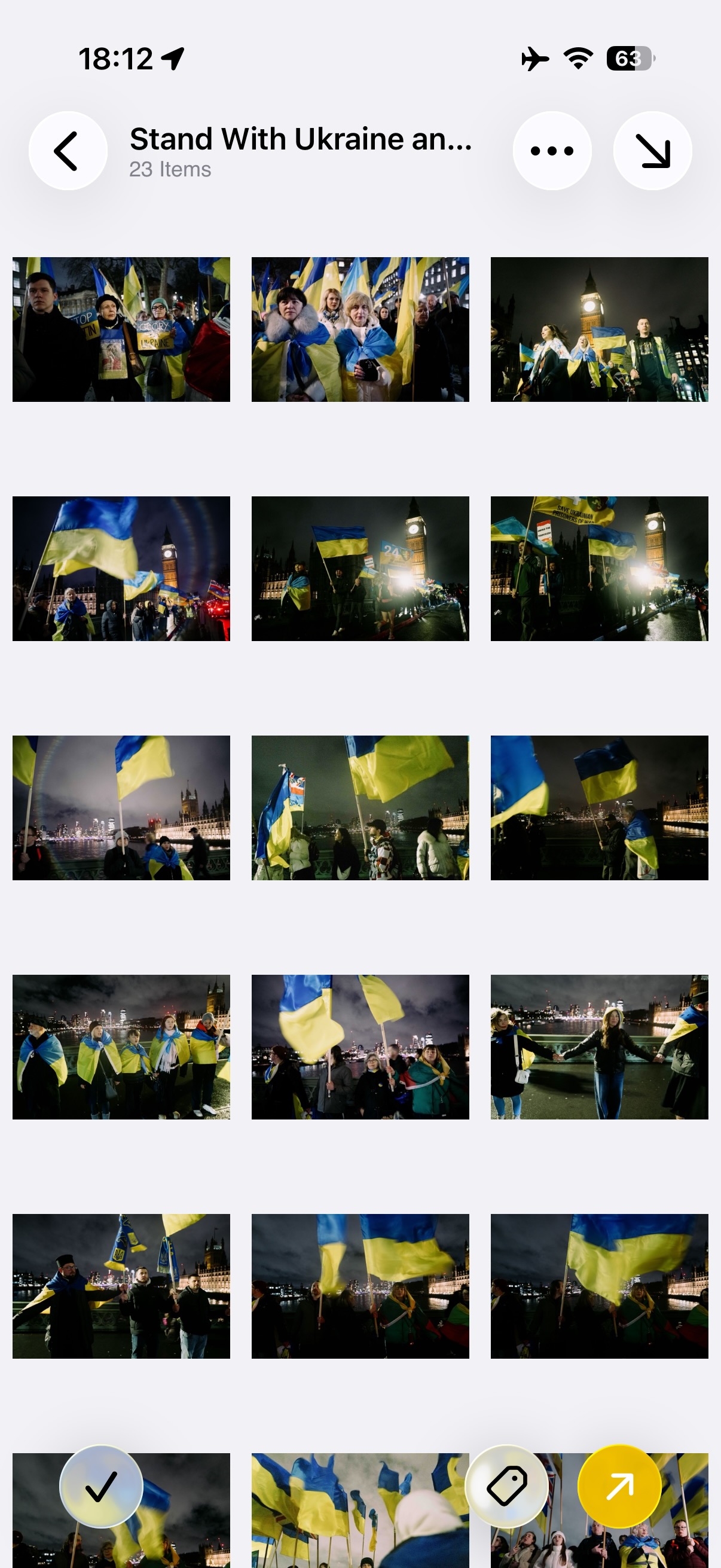
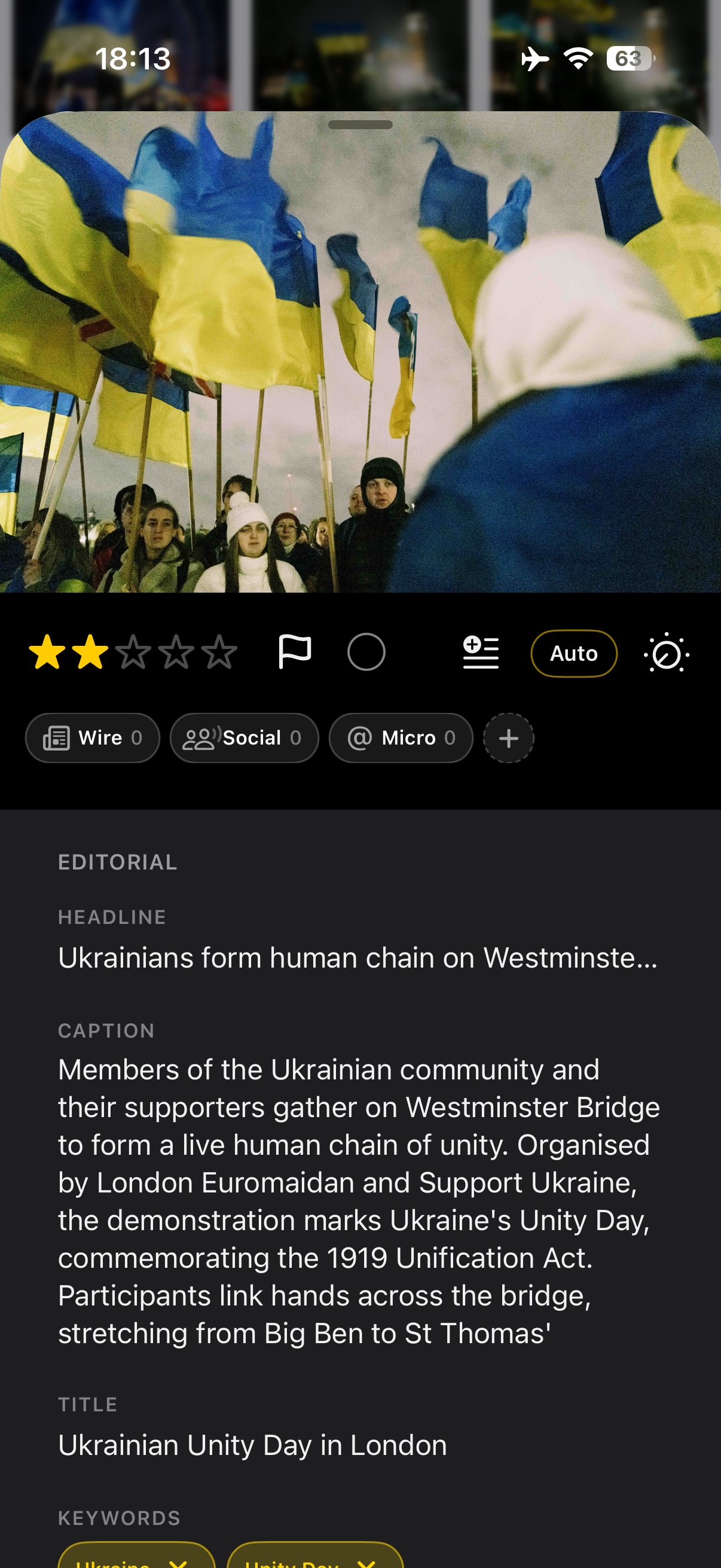
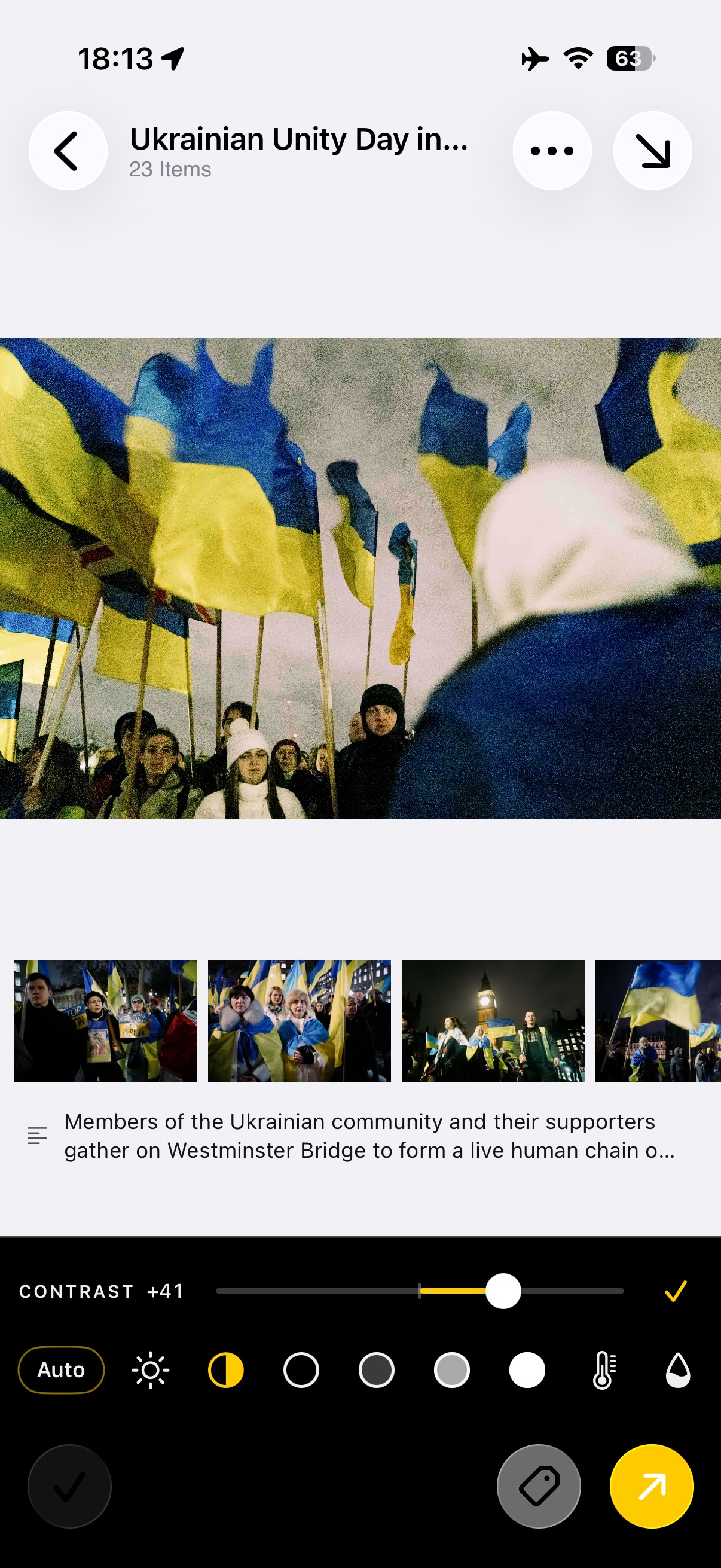
- 2Group and cullFrames are grouped into events by time and place. Rate, colour-label and filter them down to the ones you are actually sending.
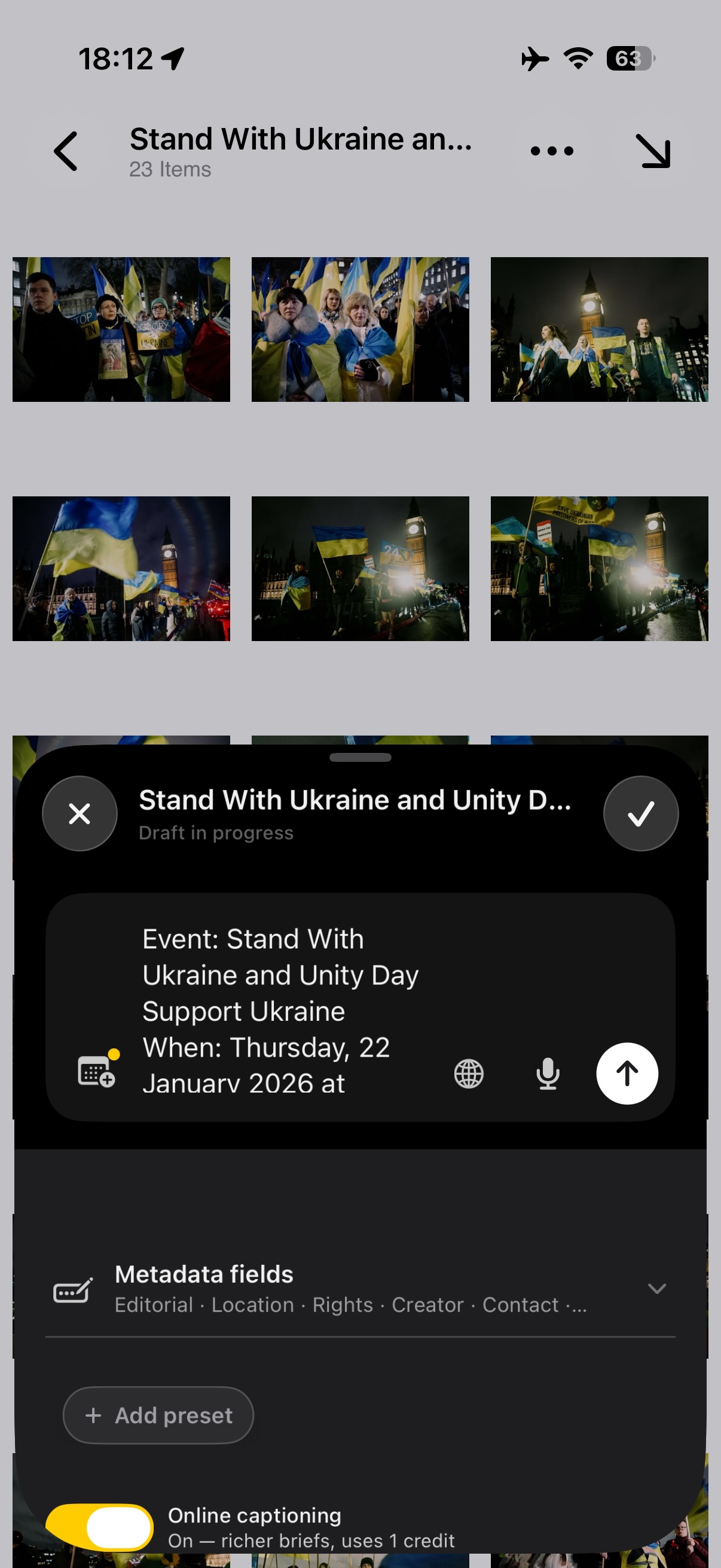
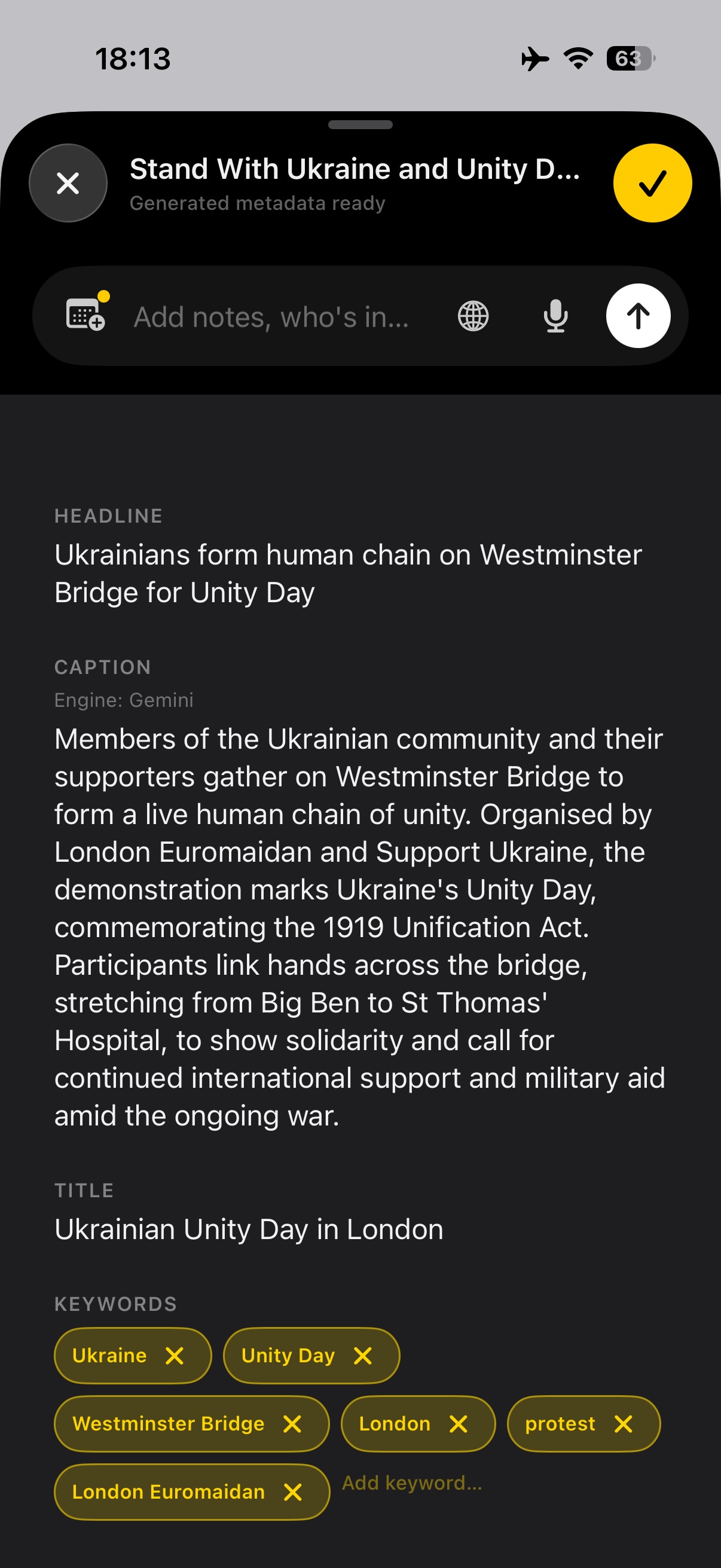
- 3CaptionIPTC-standard fields — caption, credit, copyright, location, keywords — applied across a selection at once, so the file arrives correct rather than needing fixing at the desk.
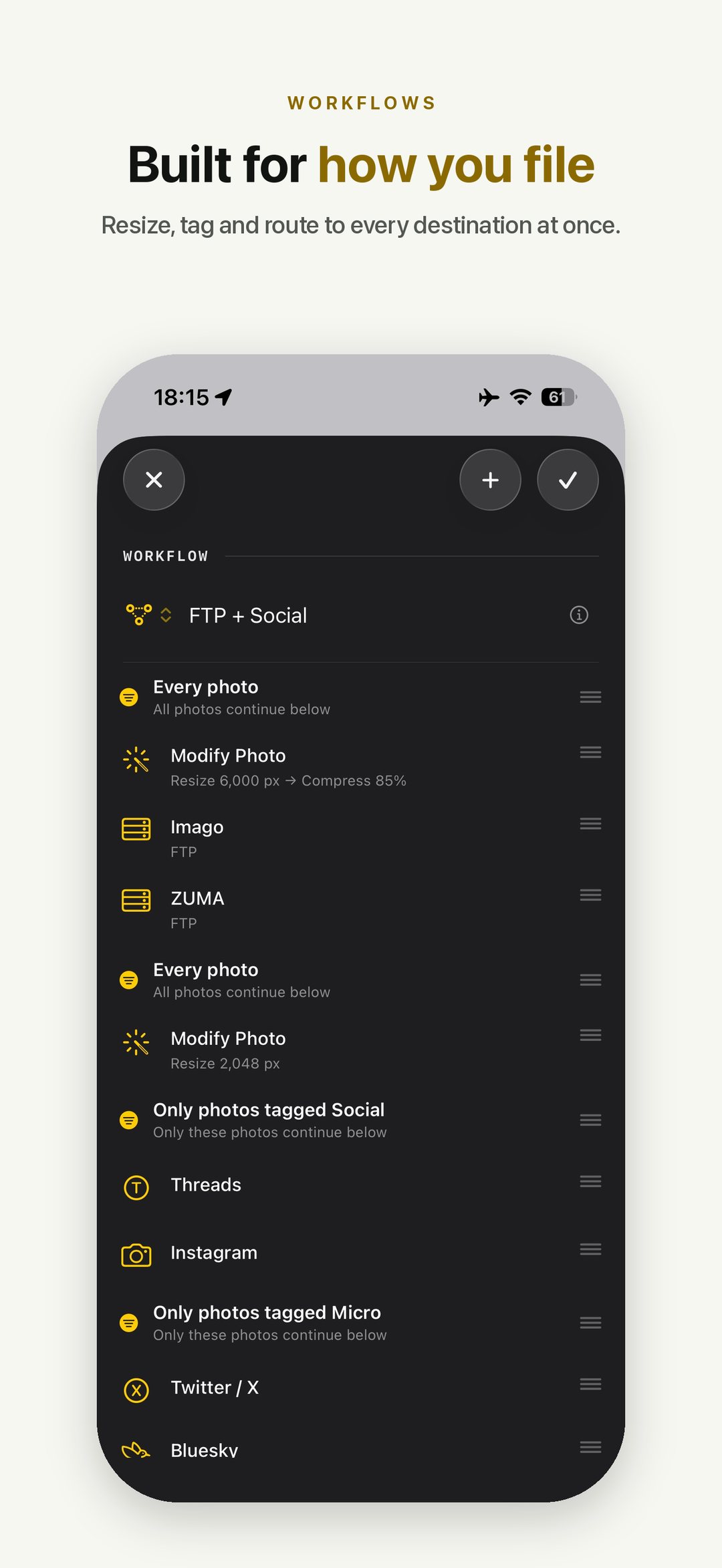
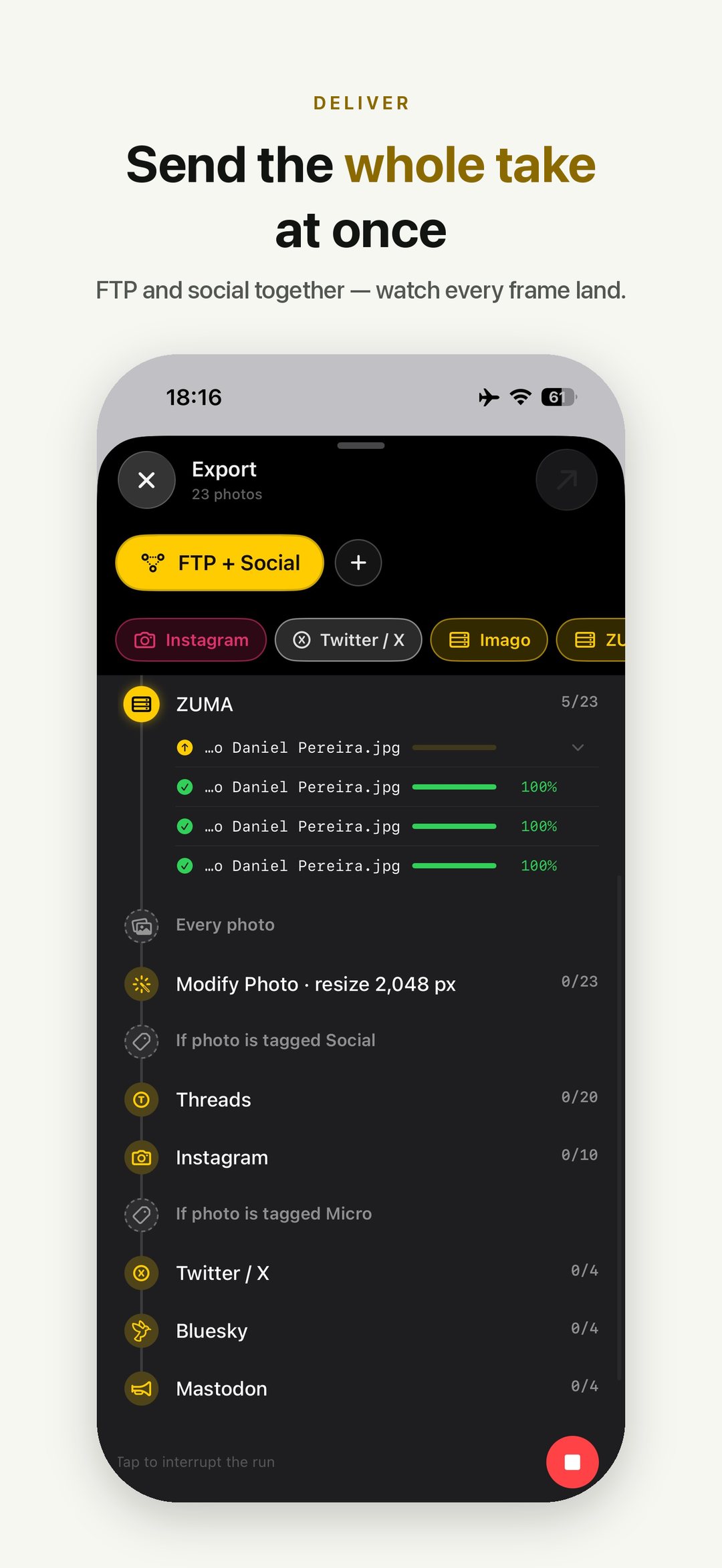
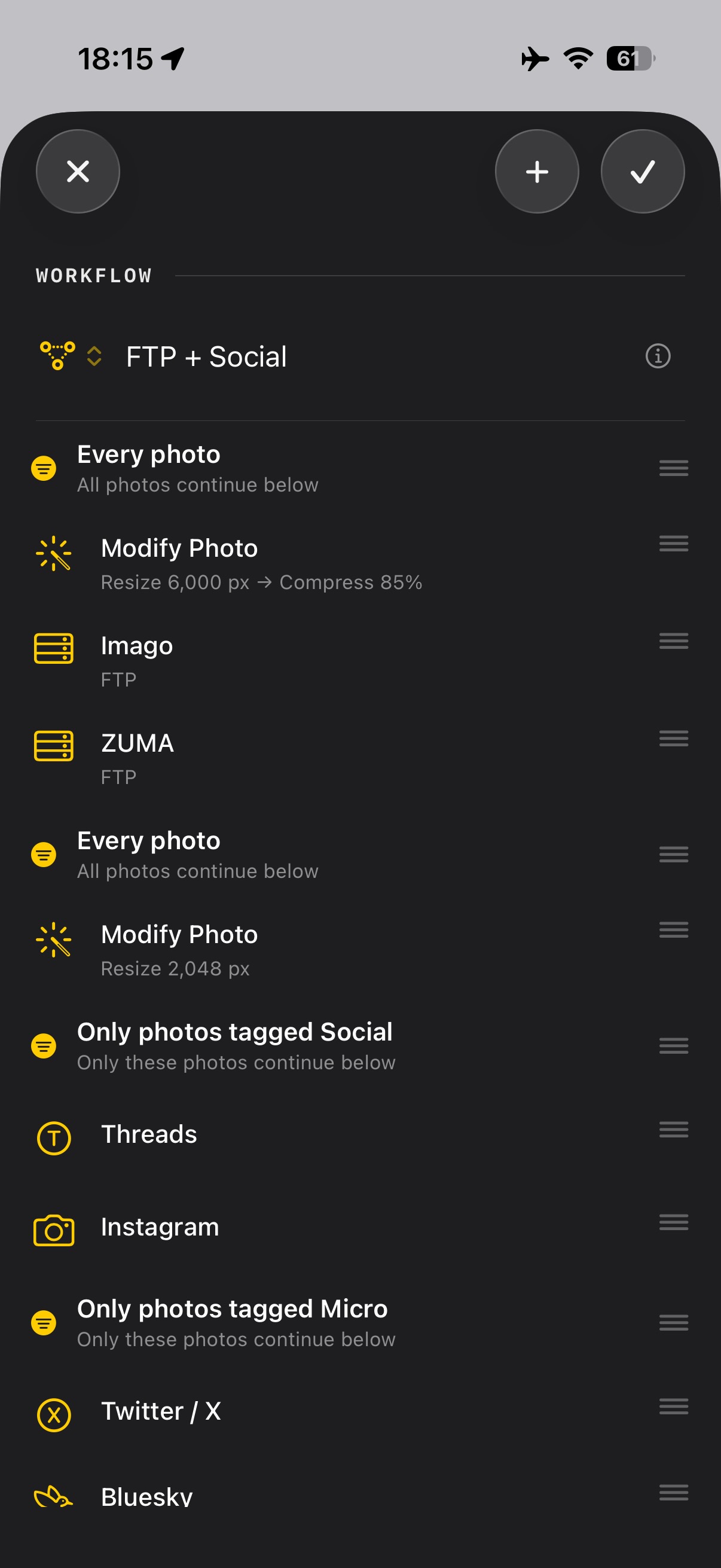
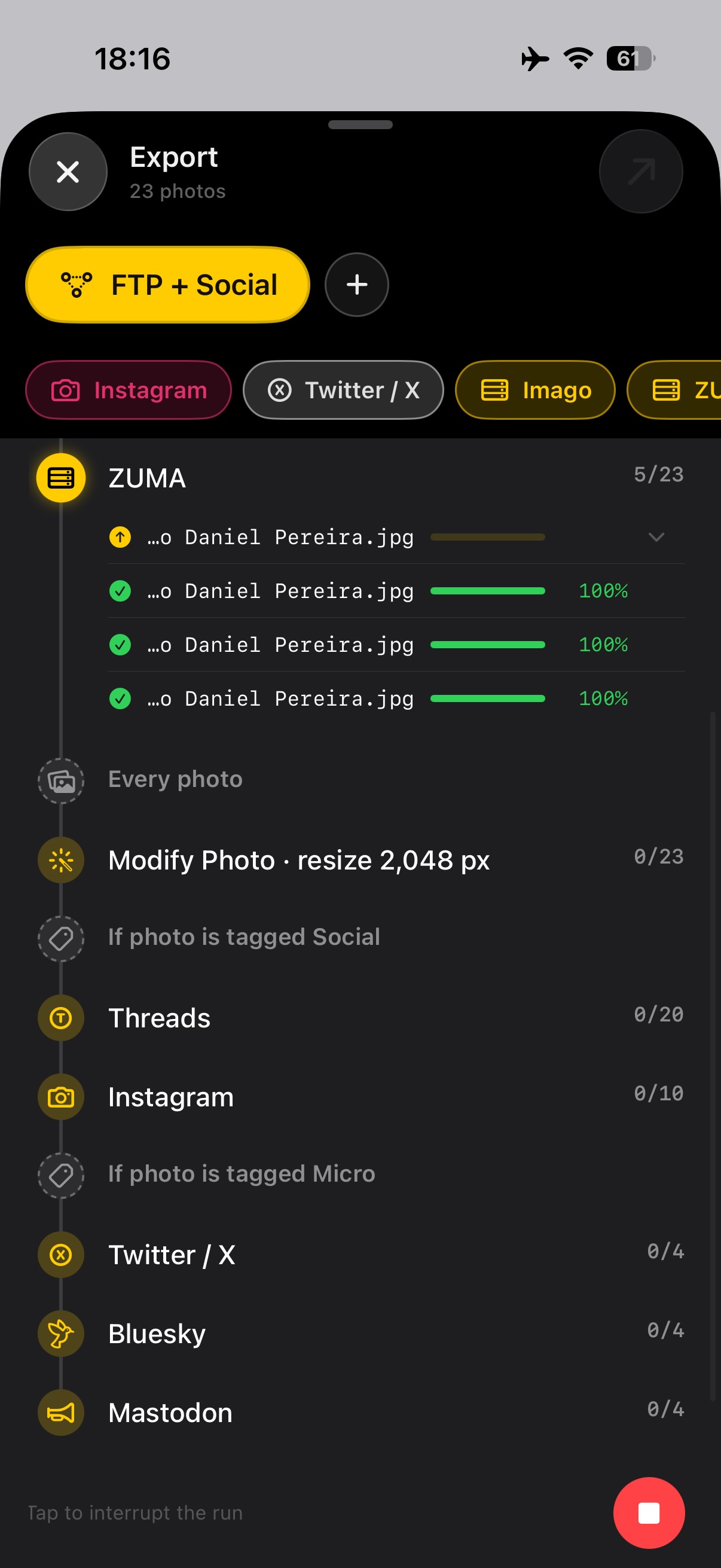
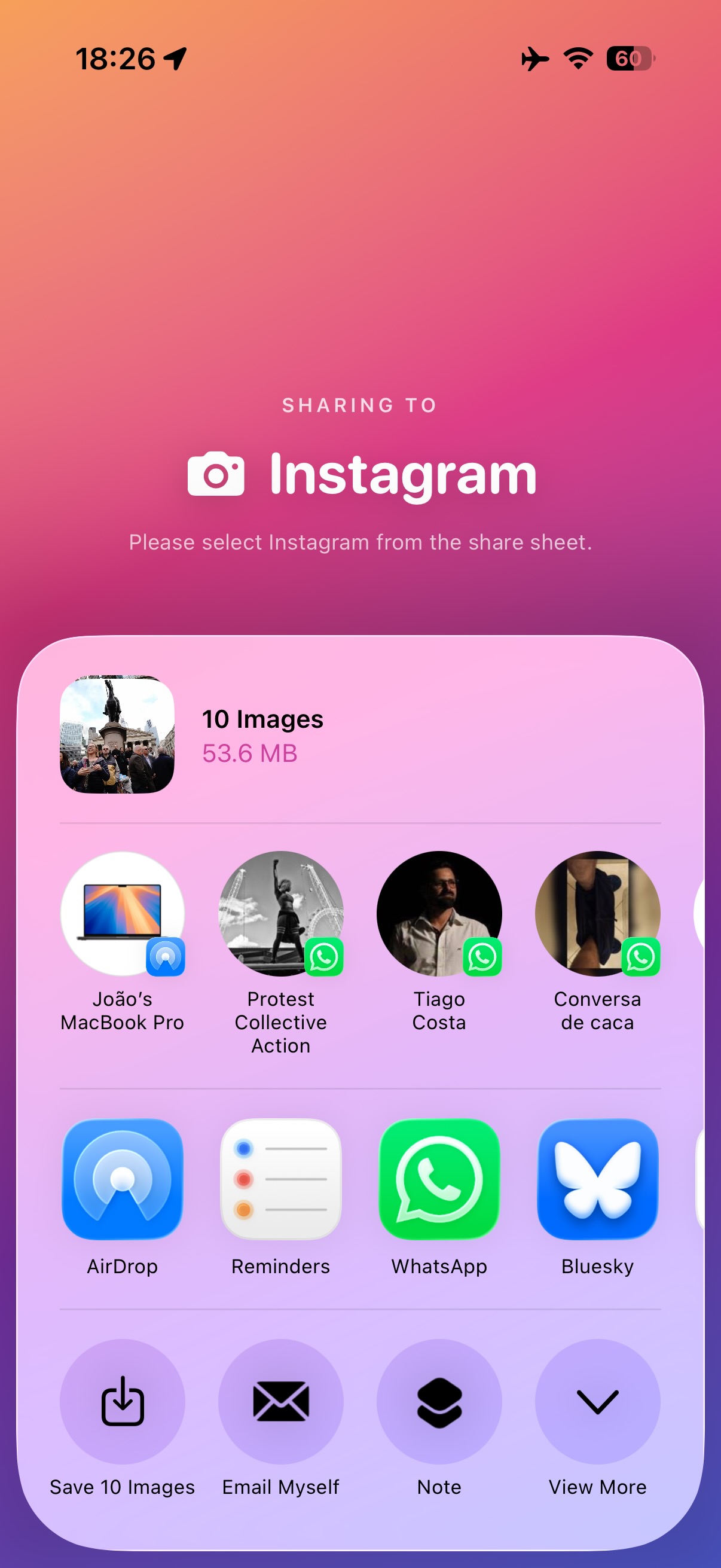
- 4SendFTP, SFTP, email, or a client folder, saved as a reusable workflow. Build the route once, then it is one tap on every job after that.
Why it exists
The gap it fills is a specific one. A photographer finishes a job, and the pictures are already on a phone-sized computer that is more powerful than the laptop was five years ago — but filing still means finding somewhere to sit, opening a laptop, and running a chain of desktop tools to do work that is mostly metadata and delivery. Dispatches is an attempt to end that detour: do the whole post-shoot chain on the device that is already in your hand, to the standards a picture desk expects.
It was built by a working photographer for his own jobs first, which is why it is opinionated about things like IPTC field handling and repeatable delivery routes, and uninterested in being a photo editor.
About the developer
João Daniel Pereira is a documentary and reportage photographer based in London, working mostly on protests and live music. He built Dispatches for his own jobs — the screenshots above are from a real assignment, not a demo — and he is the sole developer.
Portfolio and background: joaodanielpereira.pictures. Happy to be quoted, or to talk through why a working photographer ends up writing an app.
The AI question, answered precisely
Journalists reasonably want specifics here, so these are the specifics.
AI captioning is off by default and stays off until you accept a consent screen explaining exactly what leaves the phone. With it off, captions are generated on-device using Apple's Vision and Natural Language frameworks, and nothing is transmitted at all.
With it on, exactly three things are sent to the language model: the brief you typed or dictated (dictation is transcribed on the iPhone — the audio itself never leaves), the event's location at city or region level, and the event's date and approximate time as a single figure for the whole event.
Never sent, in either mode: image data, per-photo metadata of any kind — filenames, EXIF, GPS, individual timestamps — identity fields such as your name, credit or copyright, raw audio, contacts, or data from other apps. There is no per-image vision analysis in this version.
Screenshots
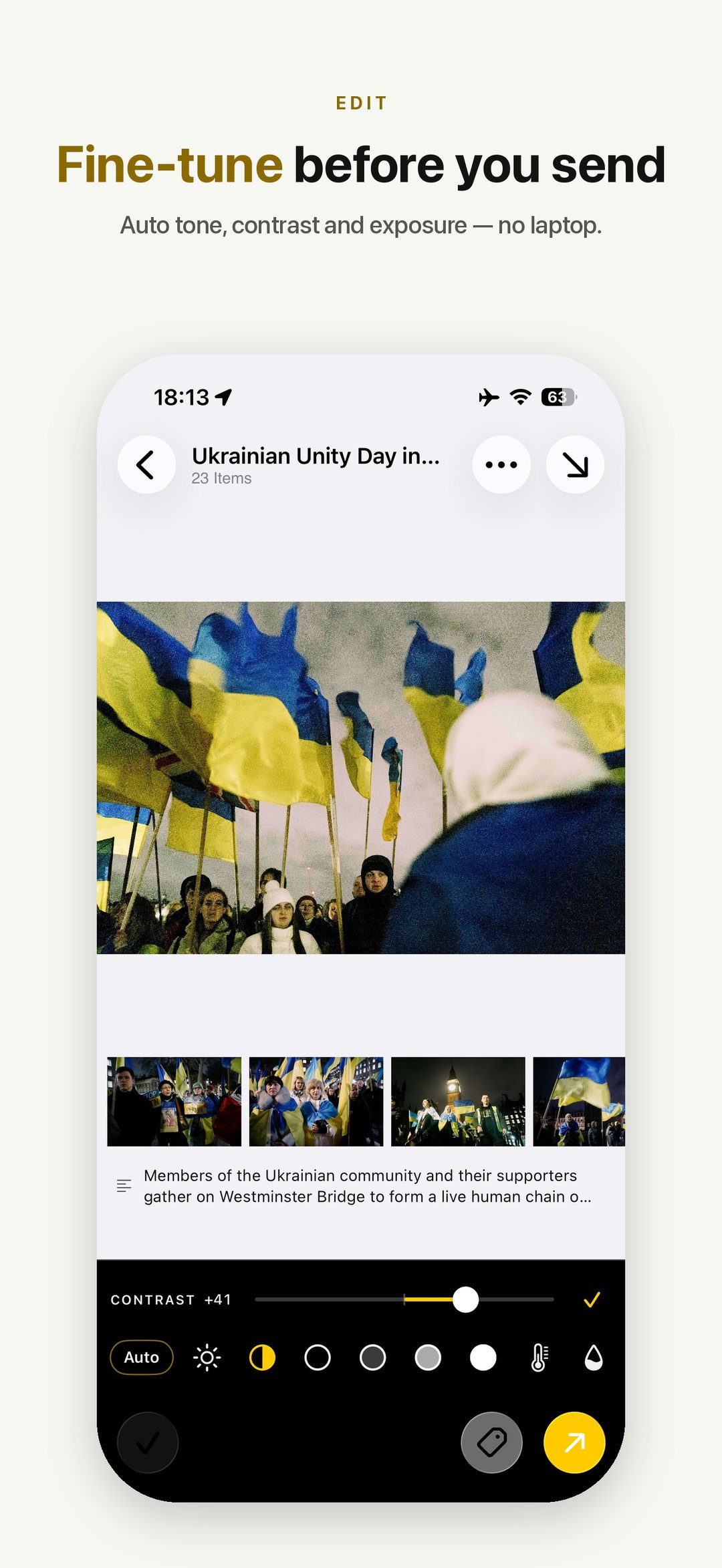
Free to use in coverage, no credit required. Two sets below — take whichever suits your layout. Full-resolution originals, dark-mode versions of any shot, or a specific screen you need are all available on request.
With headline text — as used on the site
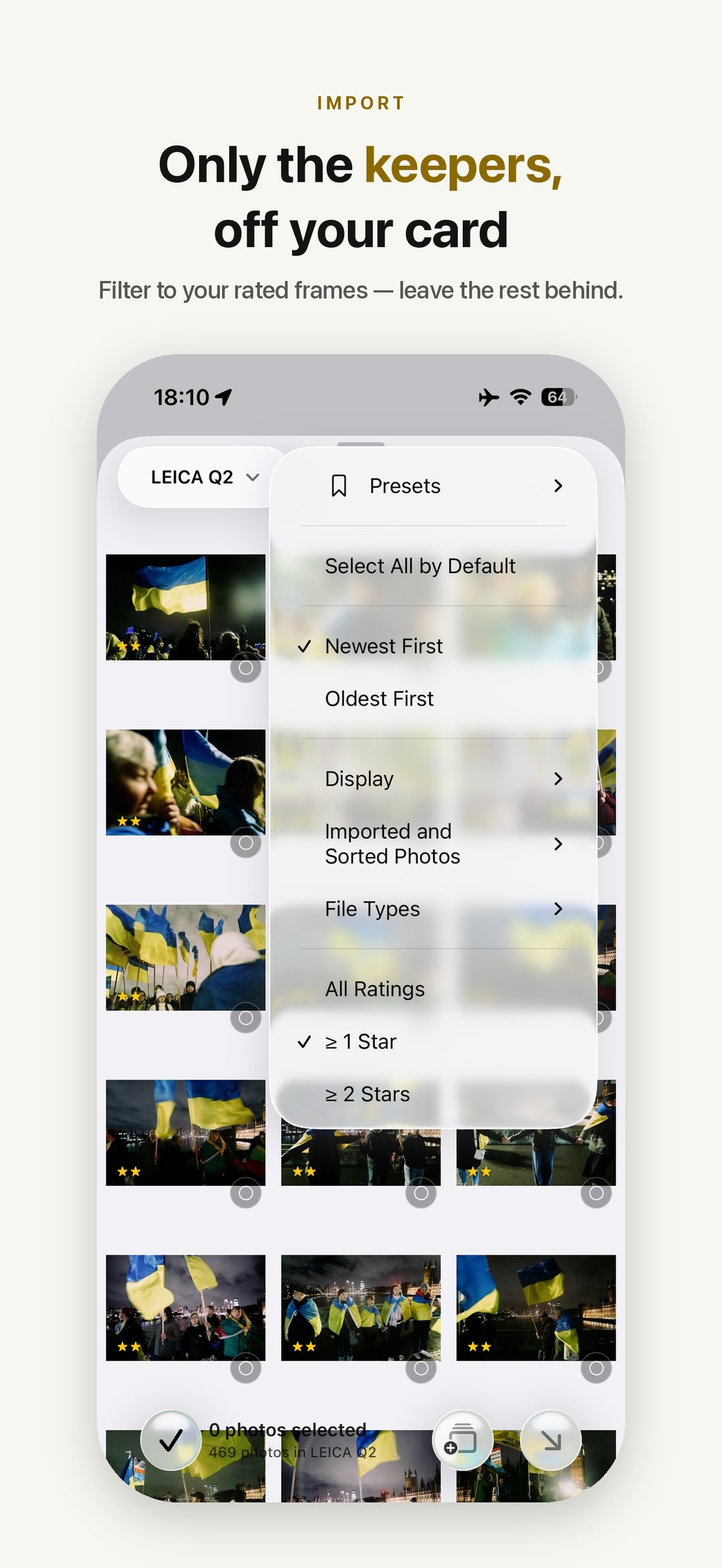
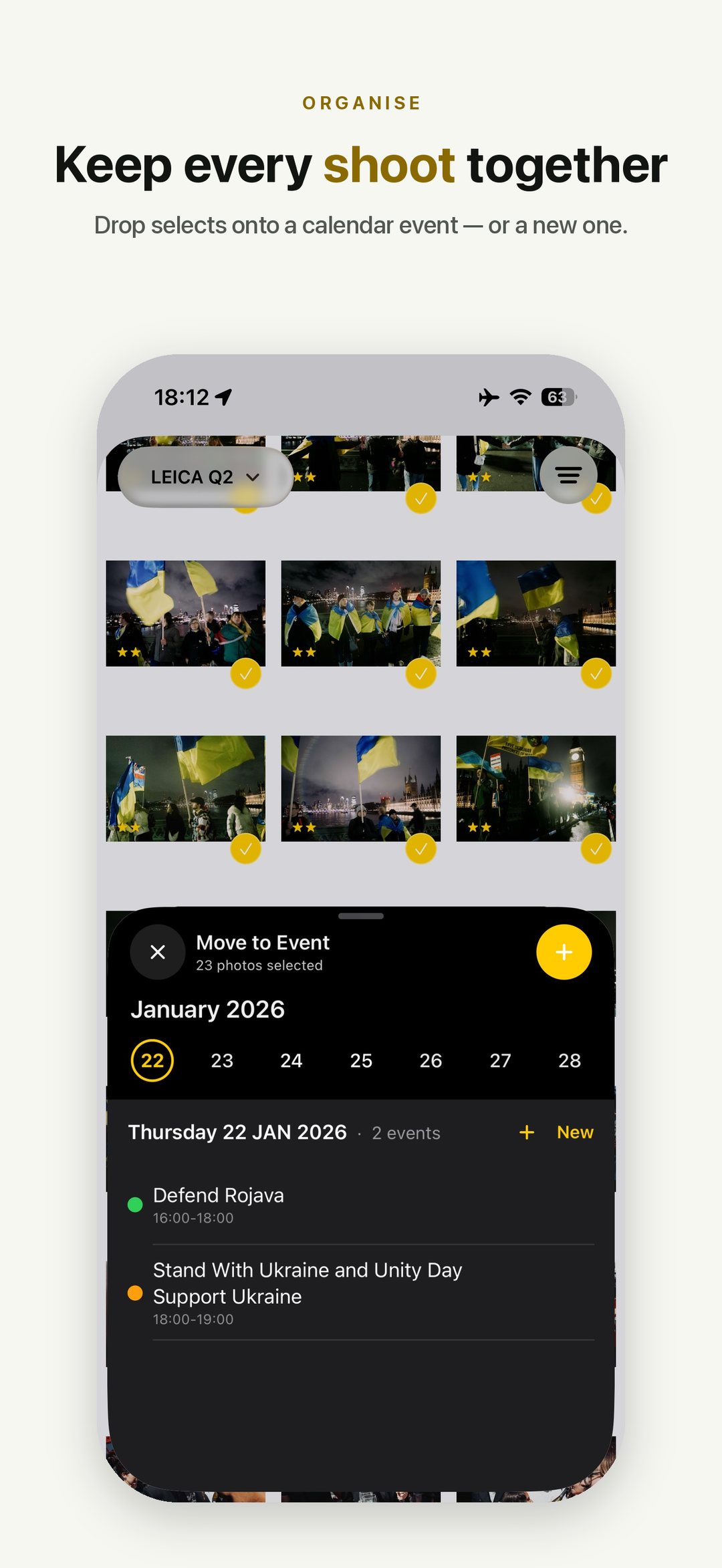
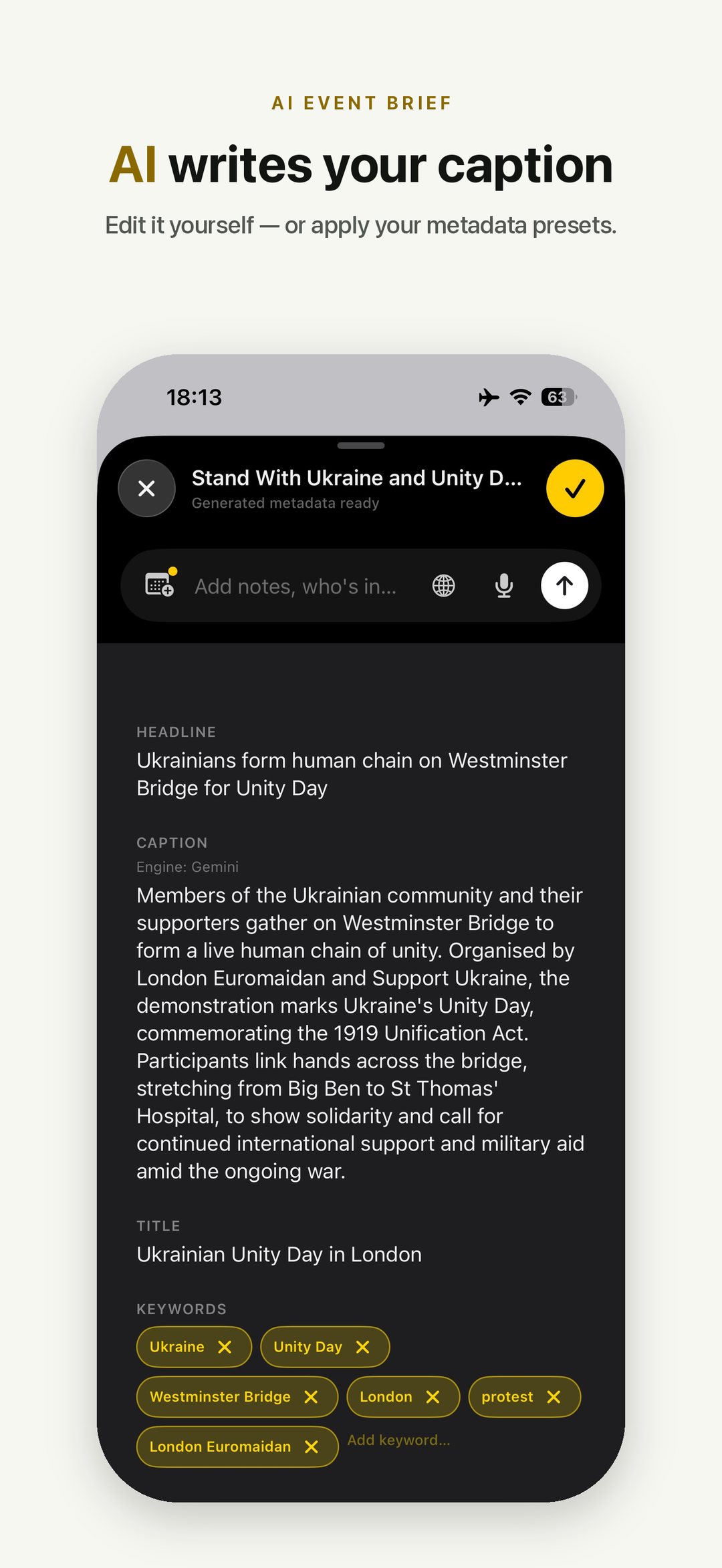
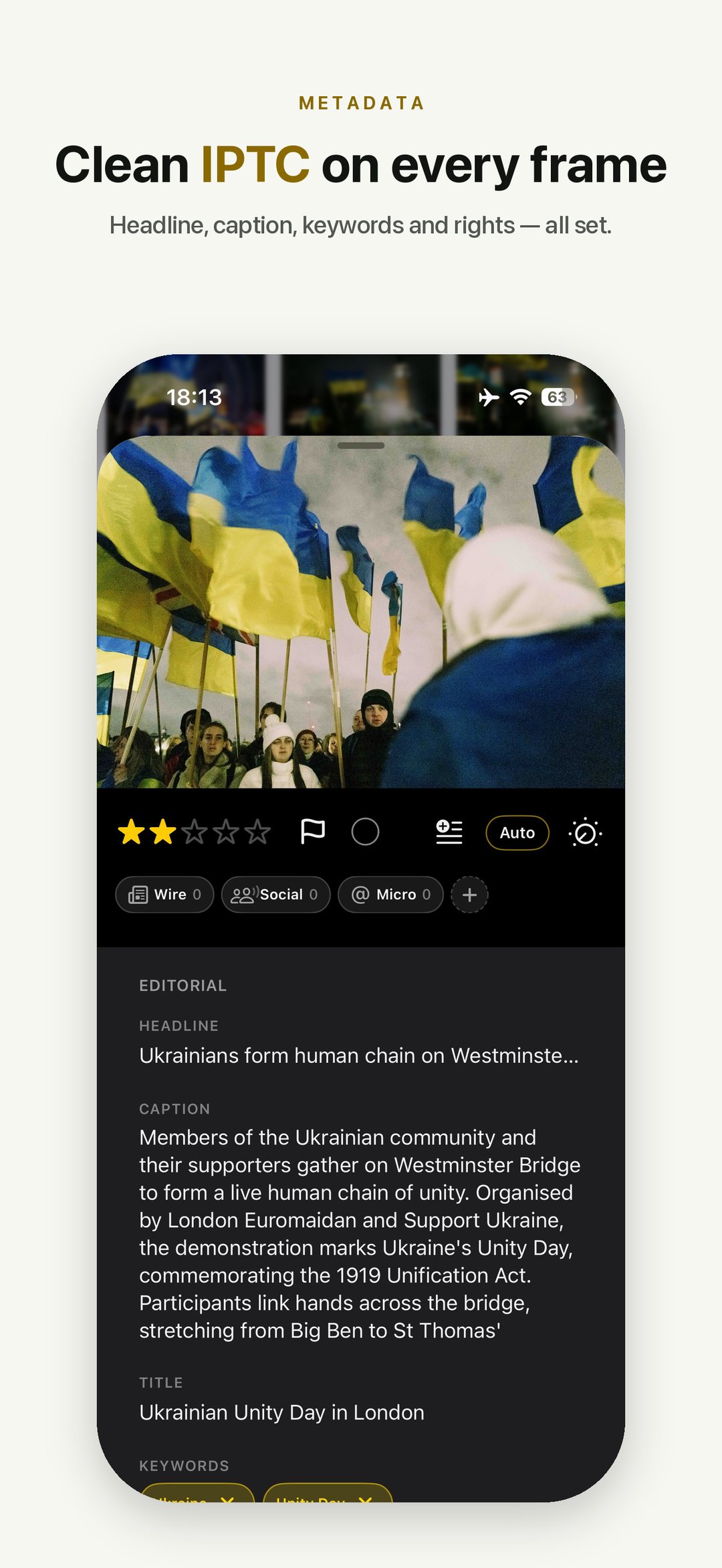
Clean — no text, no device frame
Straight screen captures at full phone resolution, in workflow order, for when you want to crop or frame them yourself. Shot on a real job: a Ukrainian Unity Day demonstration on Westminster Bridge.
Review access
Reviewers get a code that unlocks everything for a long period — no card, no trial clock, nothing to cancel. Email hello@dispatches.info with the outlet you are writing for and I will send one back.
Happy to do a walkthrough over a call, or to answer technical questions in writing if that is easier to quote from. If you want to test the delivery side properly and do not have a wire endpoint to hand, say so and I will set up a test destination you can file into.